Data transfers
1. To visualize data transfers:
- Make sure that the objects are linked to a hosting environment, and the hosting environment has a location.
- The data subject’s location needs to be defined for the potential transfer.
- Set a location for each personnel role that has access to the data.
2. Filter the transfers displayed on the map by clicking the ON or OFF buttons.
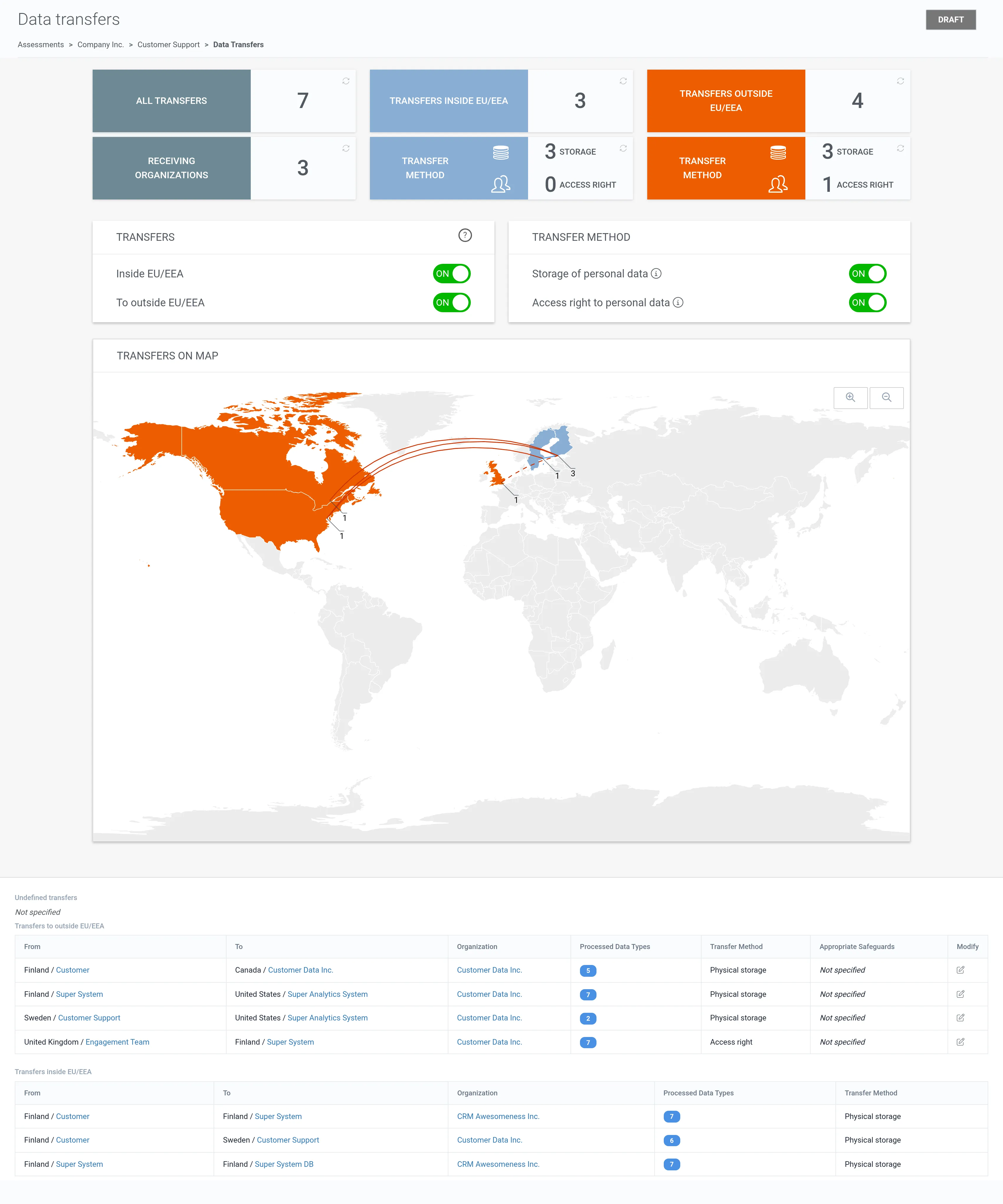
3. Underneath the world map is a list of identified transfers and data items related to each transfer.
4. Click the edit icon of a transfer outside the EU/EEA.
5. Select the appropriate safeguard used for the transfer.
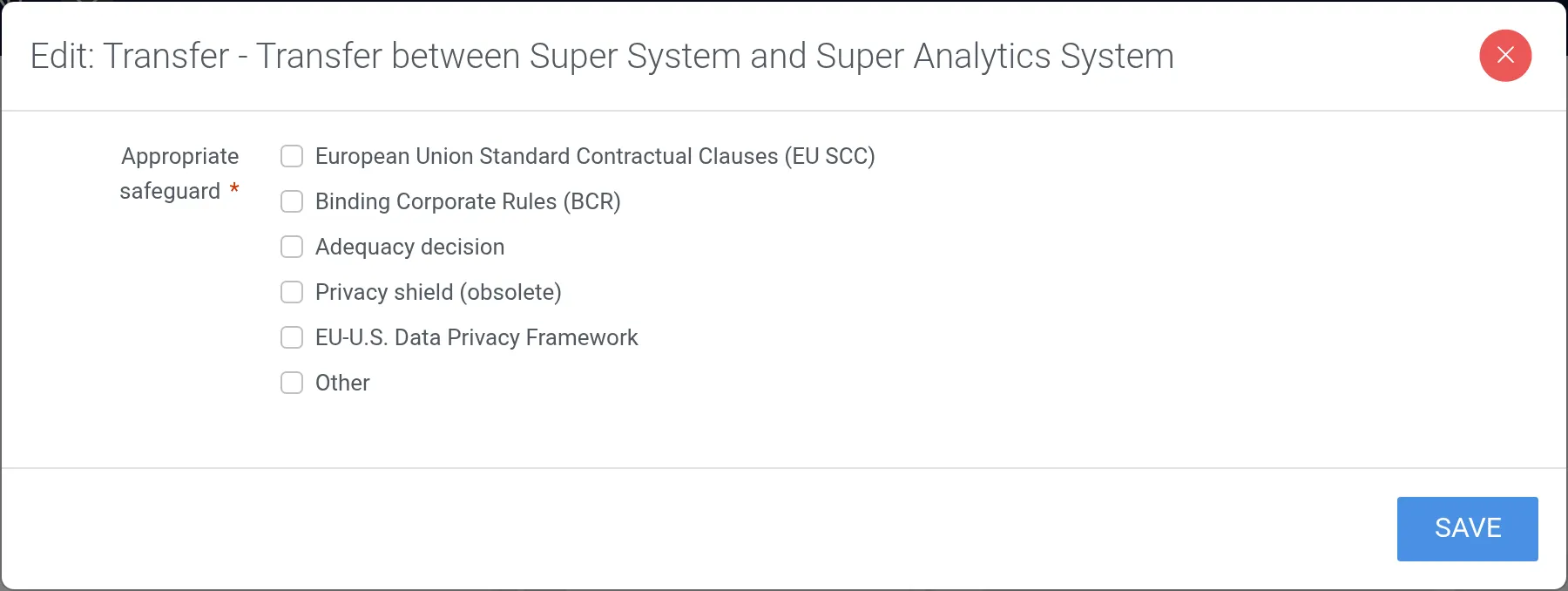
6. Click Save.