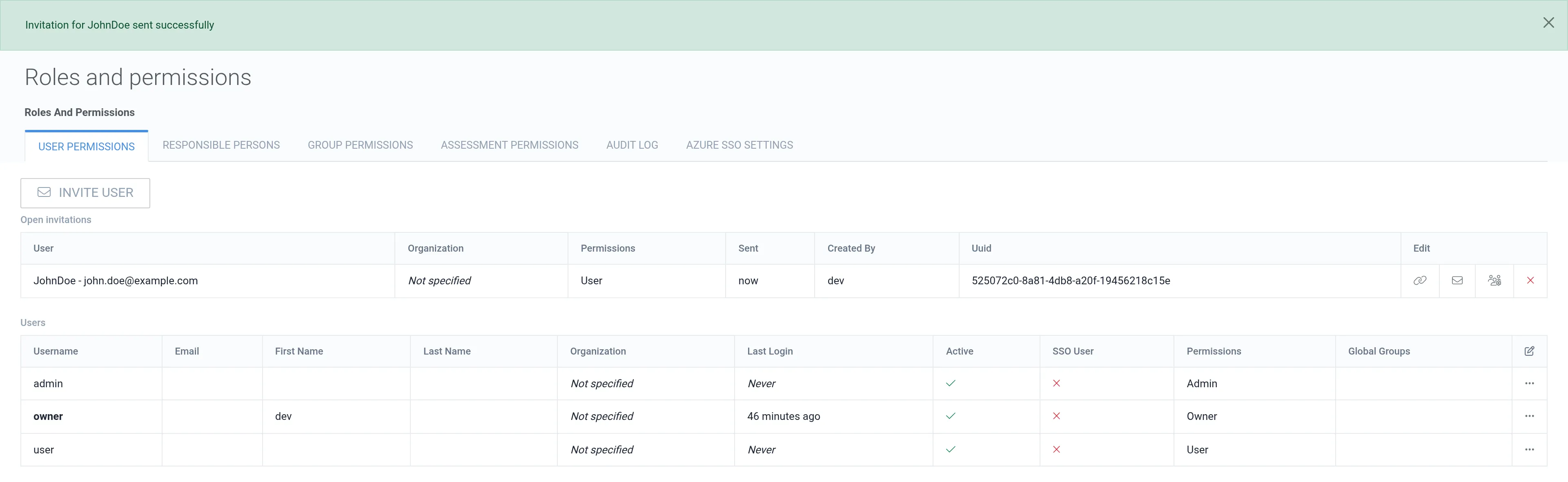
Invite User
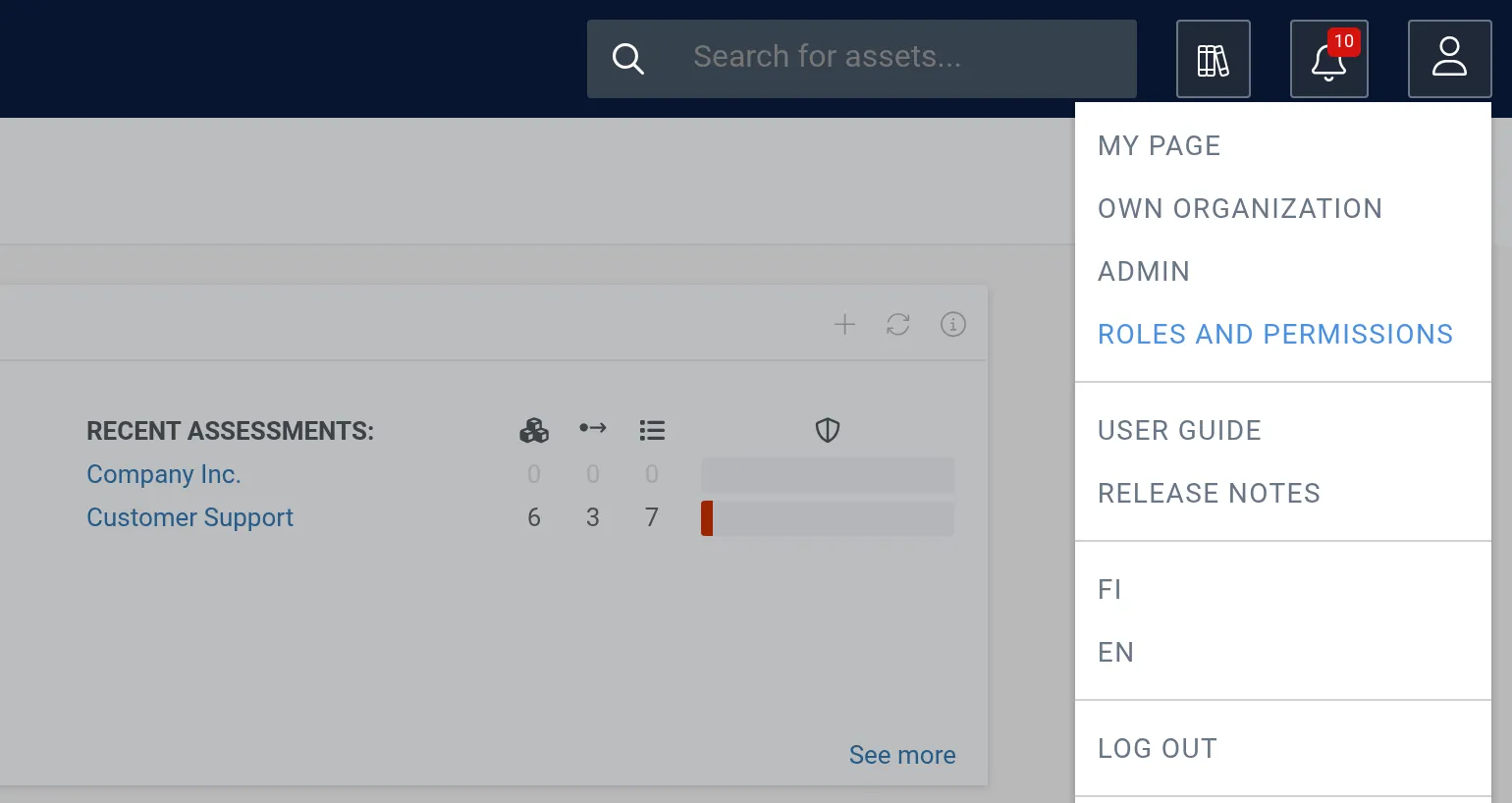
1. Open the user menu (person icon) in the top-right corner and click Roles and permissions.
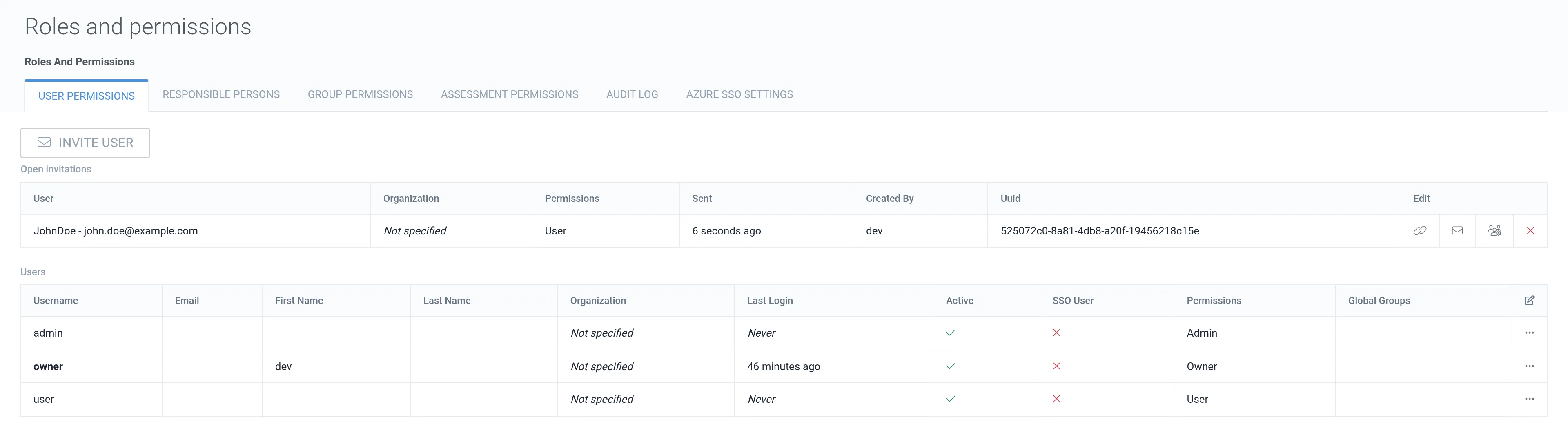
2. On the User permissions tab, click Invite user.
3. Enter a unique username and an email address, and select the permissions. Optionally, fill in the first name, last name, organization, and global groups.
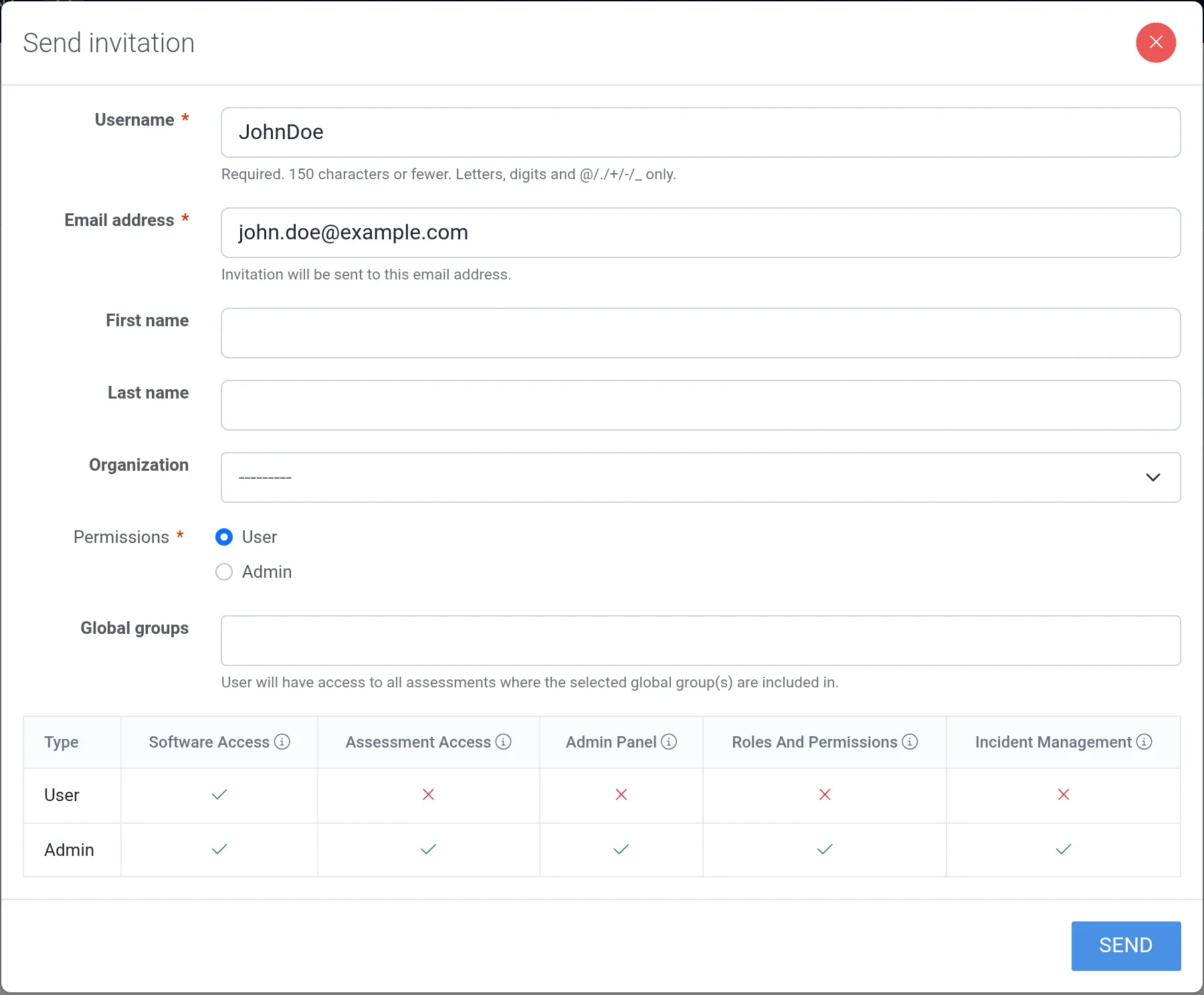
4. To send the invitation to the specified email address, click Send.